
# MD Editor for Windows
Markdown, made for reading.
MD Editor opens your markdown as a clean, comfortable page, with an outline that follows you as you read. Switch to the source, or put both side by side, and open a whole folder to turn it into a small notes workspace.
---
price:     pay once
licence:   GNU GPL v3
ads:       none
account:   none
analytics: none
files:     stay on your PC
---
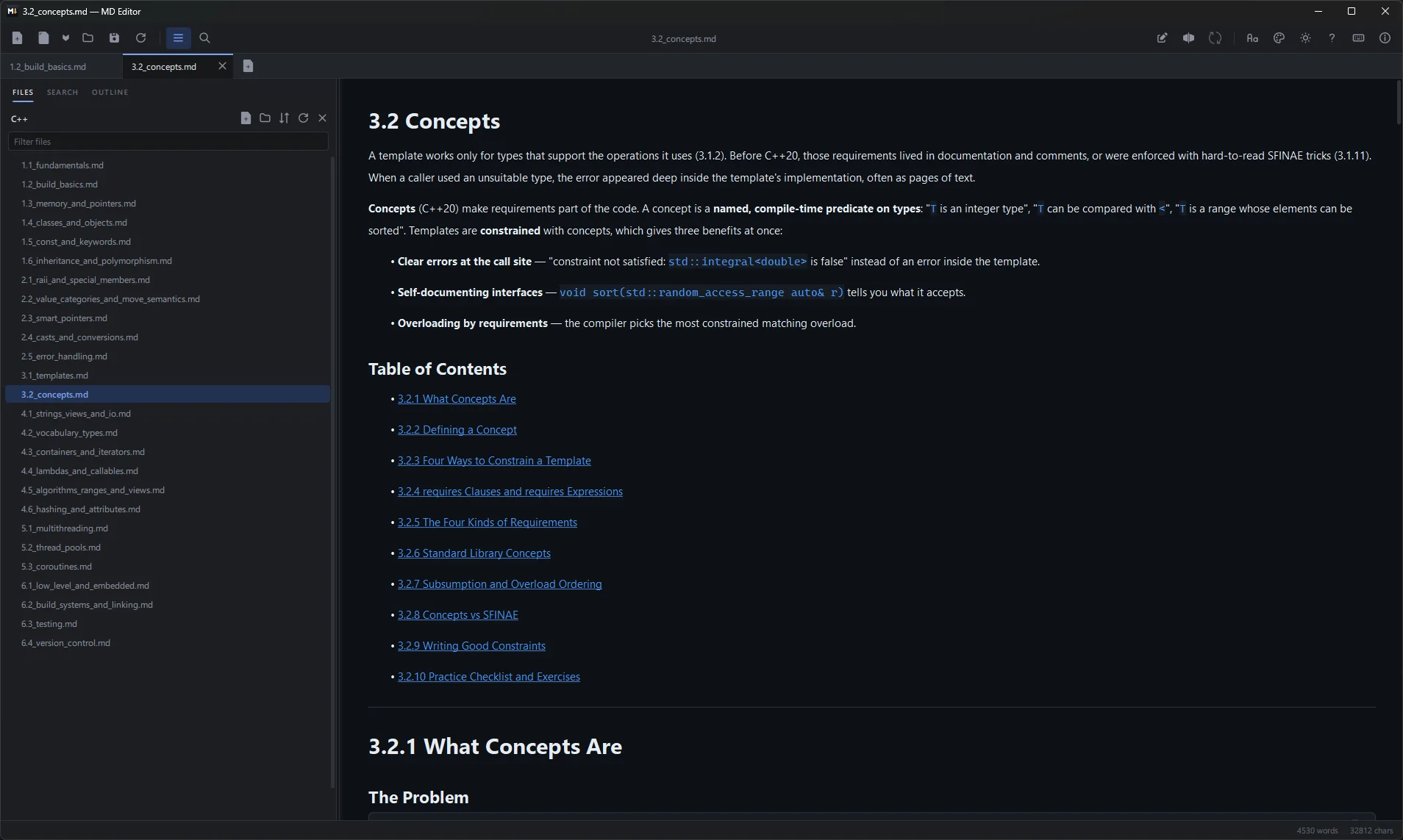
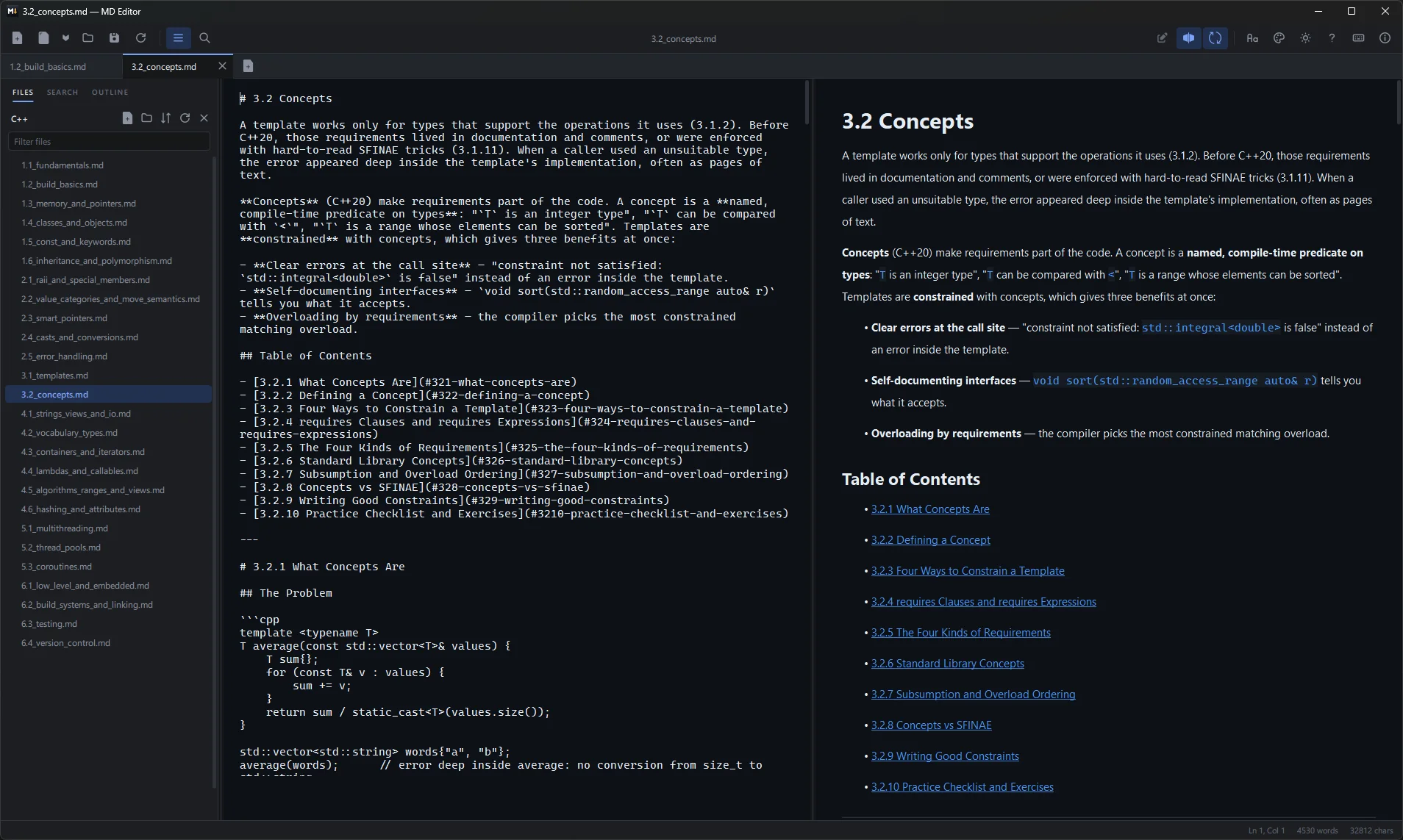
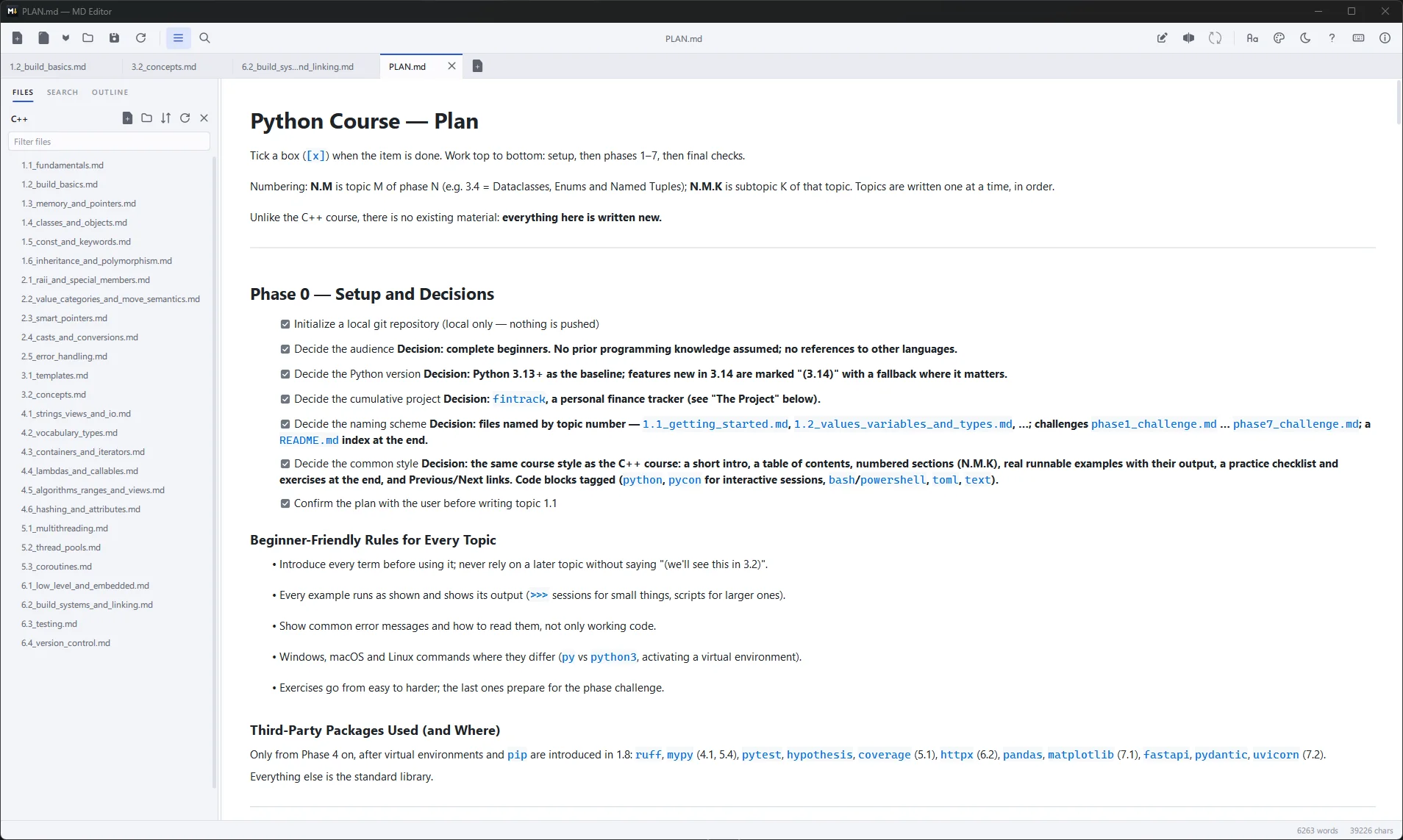
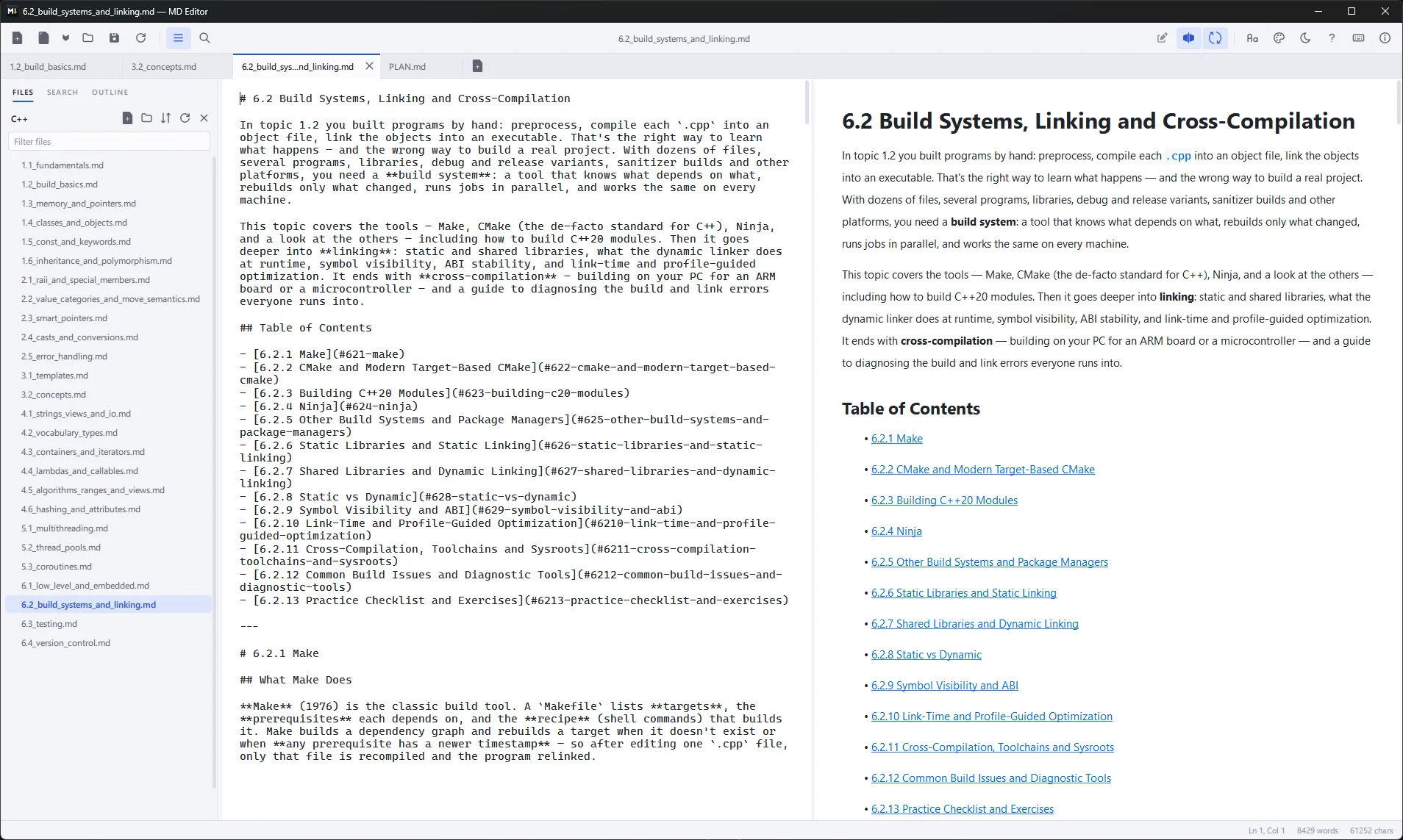
Read it, write it, find it
Everything MD Editor does, on one page.
A real reading view
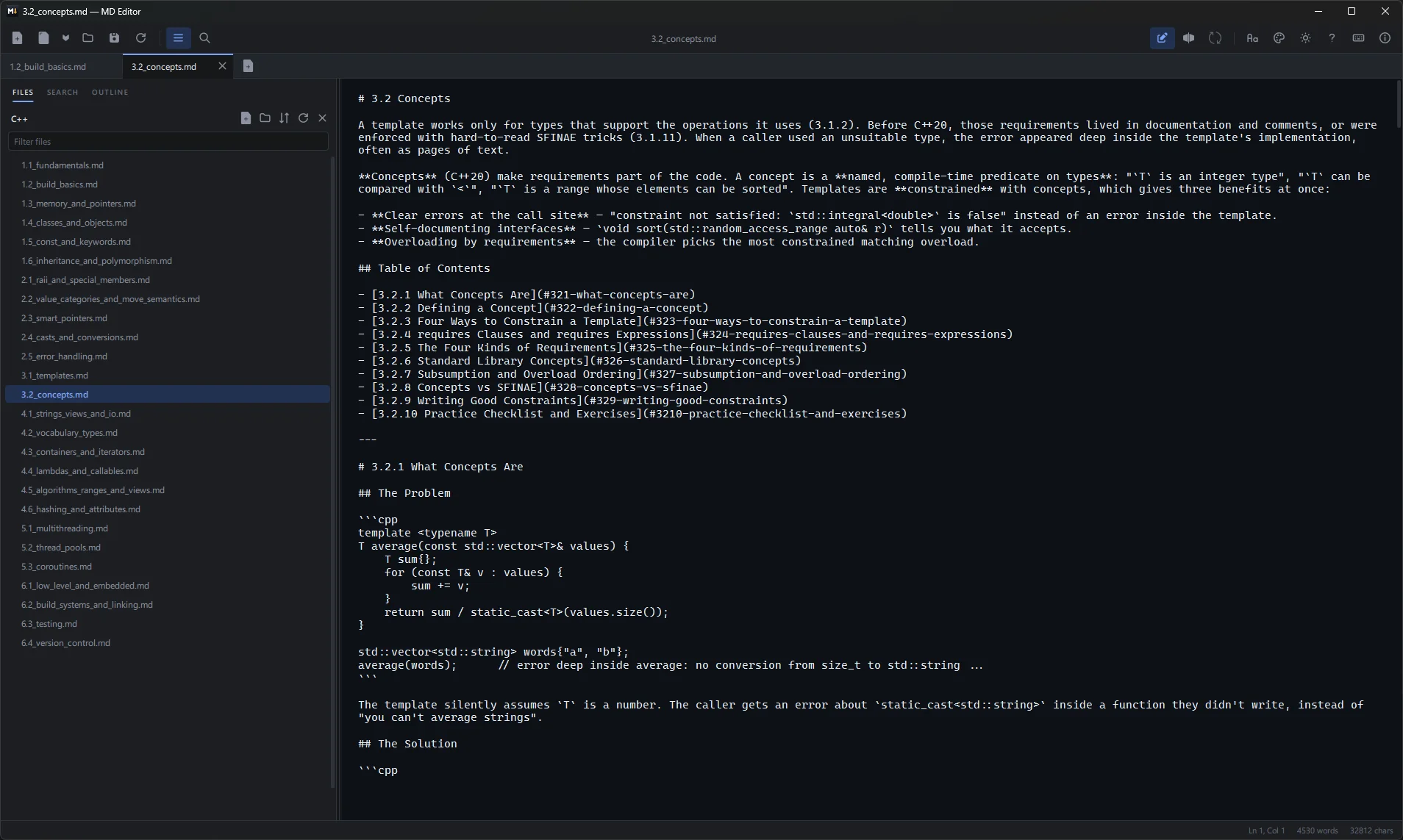
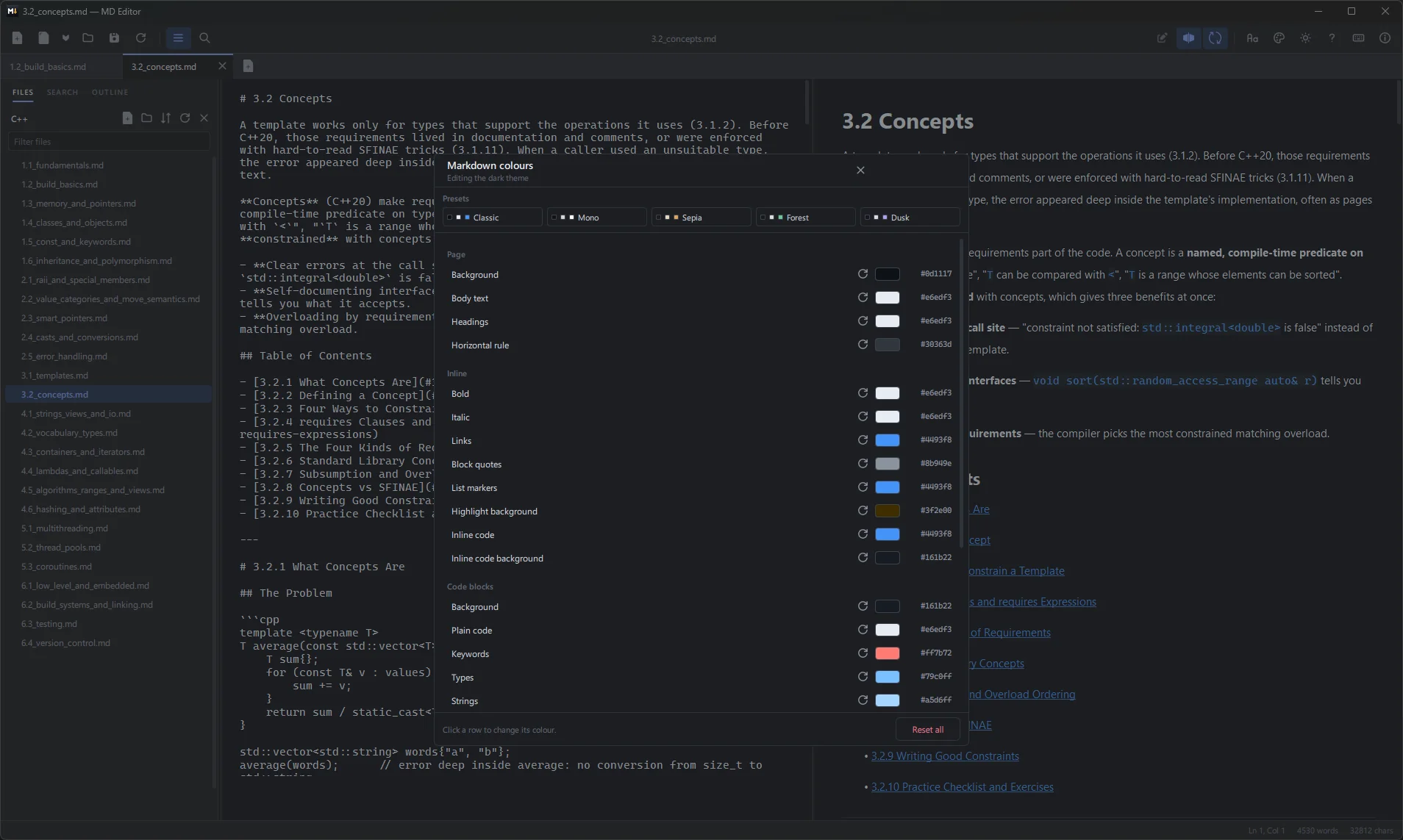
Your notes open as a clean page, not a wall of symbols. The outline follows you as you scroll and jumps to any heading. Pick one of five reading themes, set any colour by hand, and choose separate fonts for reading and for editing.
Edit side by side
Write the source with the page next to it, scrolling together. Lists continue when you press Enter, blocks indent and outdent, and find and replace is a Ctrl+H away. The status bar keeps your line, column and word count.
Tabs that remember
Open as many files as you like. They come back next time you start the app, and drafts are saved as you type, so a crash doesn't take your work with it. If a file changes on disk, MD Editor offers to reload it.
Folders as a workspace
Open a folder to browse its notes in a file tree. Create, rename and drag to move them, and deleted files go to the Recycle Bin, not into thin air. Search every file at once with Ctrl+Shift+F, results grouped by file.
Math, diagrams and more
LaTeX formulas rendered with MathJax, Mermaid flowcharts drawn right in the page, tables, task lists, footnotes, highlights and emoji shortcodes. Code blocks are coloured for C, C++, C#, Python, JavaScript, PowerShell and shell.
Links between notes
Link to another file and one of its headings, and the link opens it in a new tab, right at that heading. You can even leave off the .md at the end.
Keyboard first
The shortcuts you'll use every day.
| Keys | What they do |
|---|---|
| Ctrl+E | Switch between the reading view and the source |
| Ctrl+\ | Split the source and the page side by side |
| Ctrl+B | Show or hide the side pane |
| Ctrl+Shift+O | Open a folder as a workspace |
| Ctrl+Shift+F | Search every file in the folder |
| Ctrl+F Ctrl+H | Find, and find and replace |
| Ctrl+1 to Ctrl+9 | Jump to a tab |
| F11 | Full screen |
| F1 | Markdown reference |
Try it right here
Type in the source, switch views, pick a reading theme. It works like the app.
 welcome.md - MD Editor
The five themes from the app, light and dark. Every colour can also be set by hand.
Coming soon to the Microsoft Store
MD Editor will be a one-time purchase in the Microsoft Store, with no ads, no account, no analytics and no subscription. It stays open source under the GNU GPL v3. Want to know the day it's out? Write to us.